


Table of Contents
- What Is an Occupancy Sensor?
- Occupancy Sensor vs Vacancy Sensor
- How Occupancy Sensors Work: The Engineering View
- Occupancy Sensor Technologies
- Comparison Table: Choosing an Occupancy Sensor Type
- Key Specifications That Actually Matter
- Where Occupancy Sensors Are Used
- Installation and Commissioning Best Practices
- Common Problems
- Code and Standards Context
- Conclusion
- FAQ
- Sources
Occupancy sensors are one of those building technologies that seem simple – turn stuff on when people are there, off when they’re not – but the real-world behavior depends heavily on sensing method, placement, time delays, and how the sensor is integrated into lighting, HVAC, or building automation.
If you’ve ever asked what is occupancy sensor in a practical sense, the best answer is: it’s a control device that infers human presence (or the lack of it) from measurable signals (motion, heat, sound reflections, images, etc.) and then triggers an action (on/off/dim/setback) after logic like timeouts, sensitivity thresholds, and override rules.
Occupancy sensor deployments are usually justified by:
- Energy savings (lights and equipment don’t run unnecessarily)
- Code compliance (many energy codes require automatic shutoff in certain spaces)
- Convenience and safety (hands-free lighting, predictable operation)
But sensors can also annoy occupants if they false-off (lights go out while someone is working) or false-on (lights trigger from hallway movement). Designing a good system is about picking the right technology and configuring it for the space.
What is an occupancy sensor?
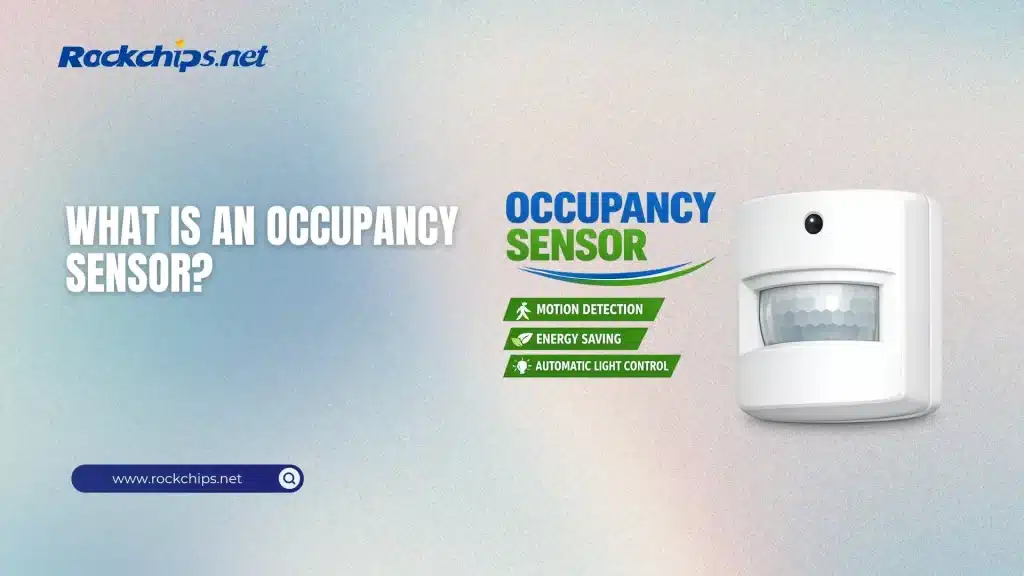
An occupancy sensor is a device that detects the presence of people and automatically manages a load, typically lighting, by turning it on when occupancy is detected and turning it off or dimming it after a preset delay once no motion is sensed. In reality, many occupancy sensors are essentially motion sensors integrated with control logic.
You’ll also see occupancy sensors applied beyond lighting:
- HVAC fan activation or ventilation enablement
- Temperature setpoint setback when spaces are unoccupied
- Plug load control (shutting off receptacles or equipment)
- Security and access/space utilization analytics (in some systems)
Occupancy sensor vs vacancy sensor
These two get mixed up constantly:
- Occupancy sensor: typically auto-ON (turns lights on when it detects presence) and auto-OFF (after a delay).
- Vacancy sensor: usually manual-ON (you switch lights on yourself) and auto-OFF when the space becomes vacant.
Why does this matter? Because auto-ON everywhere can waste energy in spaces where daylight is sufficient or where people enter briefly. Many modern codes and guidelines push designers toward vacancy behavior in specific rooms, or toward partial-ON (only turns on to a limited level).
How occupancy sensors work: the engineering view
An occupancy sensor system typically has four functional blocks:
- Sensing: detecting signals correlated with people (heat movement, Doppler shift, ultrasonic reflections, image changes, etc.).
- Signal processing: filter noise, classify events, ignore non-person patterns when possible.
- Decision logic: thresholds, time delays, lockouts, and enable conditions.
- Actuation: a relay, dimming output, network command, or BACnet/KNX/DALI-style control message.
The magic is mostly in steps 2 and 3. For example:
- A PIR sensor might detect large motions well, but miss small movements (typing).
- An ultrasonic sensor might detect micro-motion well, but can falsely trigger through doorways due to reflections.
- A dual-technology sensor uses logic that requires both to turn ON, allows either to keep ON to reduce false-ons while preventing false-offs.
Occupancy sensor technologies
1) Passive Infrared (PIR)
What it senses: changes in infrared radiation (heat) across zones in its field of view.
Strengths: reliable in line-of-sight, low cost, common in wall-box sensors and ceiling sensors.
Weaknesses: can miss very small movements; can’t see around partitions; placement is critical.
Best for: enclosed offices, restrooms, storage rooms—spaces where occupants move enough, and the sensor can see them.
2) Ultrasonic
What it senses: emitted ultrasonic sound and the changes in reflections caused by motion.
Strengths: excellent at detecting small movements; can cover around some obstacles depending on the room geometry.
Weaknesses: can falsely trigger from motion outside the room (through openings) due to reflections; may be sensitive to airflow or mechanical noise in some installations.
Best for: classrooms, spaces with seated occupants, areas where micro-motion detection matters.
3) Dual-technology (PIR + Ultrasonic)
What it senses: combines PIR and ultrasonic to increase reliability.
Strengths: typically better balance—fewer false-offs than PIR alone, fewer false-ons than ultrasonic alone when configured well.
Weaknesses: higher cost; still needs good placement and commissioning.
Best for: conference rooms, open offices, classrooms – spaces where complaints are expensive.
4) Microwave / Doppler (RF motion)
What it senses: Doppler shift in reflected RF energy.
Strengths: strong sensitivity, can detect motion with fewer line-of-sight constraints.
Weaknesses: can be too sensitive, including detection through certain materials; requires careful tuning to avoid false triggers.
Best for: long corridors, some industrial areas – when carefully configured.
5) Camera-based / image analytics (privacy-aware variants exist)
What it senses: visual changes or people counting, depending on design.
Strengths: can provide richer data (occupancy count, direction, dwell).
Weaknesses: privacy concerns, higher cost, more complex commissioning, lighting conditions can affect performance.
Best for: advanced building systems, space utilization, large open areas where traditional sensors struggle.
6) Desk/seat / badge / Wi-Fi/BLE inference (indirect occupancy)
What it senses: proxies like device presence or workstation activity.
Strengths: useful for analytics and certain controls.
Weaknesses: presence ≠ occupancy; can be inaccurate, and policy/privacy requirements may apply.
Best for: analytics and supplemental signals – not usually a sole control input for safety-critical lighting.
Comparison table: choosing an occupancy sensor type
Key specifications that actually matter
When evaluating an occupancy sensor (or troubleshooting one), focus on these parameters:
- Coverage pattern: major motion vs minor motion coverage is often different. A sensor may claim big numbers, but the micro-motion zone is what prevents false-offs.
- Mounting height and angle: ceiling sensors behave differently at 8 ft vs 12–15 ft.
- Line-of-sight and partitions: PIR needs visibility; open-office layouts can defeat it unless zoned properly.
- Time delay: common ranges are 5–30 minutes. Too short causes false-offs; too long reduces savings. Codes often cap maximum delays in certain spaces.
- Sensitivity: too sensitive causes false-ons; too insensitive causes nuisance offs.
- Manual override and fail-safe behavior: especially important for egress, security, and user acceptance.
- Control output: relay on/off, 0–10V dimming, DALI, wireless mesh, building automation integration.
- Default behavior after power loss: a subtle but important commissioning detail.
Where occupancy sensors are used
Lighting control (most common)
A good occupancy-sensing lighting design aims for:
- Lights reliably stay on while people are present (including low-motion tasks)
- Lights turn off promptly enough to save energy
- Behavior is predictable (users trust it)
Common strategies include:
- Auto-ON/Auto-OFF in transitional spaces (corridors, storage)
- Manual-ON/Auto-OFF (vacancy mode) in offices and classrooms
- Partial-ON (turn on to a lower level) combined with daylight dimming
HVAC and ventilation
Occupancy sensors can signal:
- Occupied mode vs unoccupied mode
- Demand-controlled ventilation enablement
- Reduced airflow or relaxed setpoints during vacancy
Here, designers must be careful: HVAC response times are slower than lighting, so the logic often needs hysteresis and schedules to avoid frequent mode switching.
Plug loads and equipment
Sensors can control receptacles or device groups (monitors, chargers, signage). This can deliver meaningful savings, but only if the controlled loads are appropriate (you don’t want to unexpectedly kill critical equipment).
Installation and commissioning best practices
- Start with the space geometry
- Doorways, cubicles, tall shelving, glass partitions – these are not details, they are the design.
- Choose technology based on occupant behavior
- Seated, low-motion work → consider ultrasonic or dual-tech.
- Short visits / pass-through → PIR can be ideal.
- Place sensors to see the task area
- In offices, aim at the desk zone, not the door.
- In restrooms, avoid pointing directly at stalls if partitions block detection; ceiling placement often helps.
- Tune time delay pragmatically
- If users complain, first increase time delay modestly.
- If energy is the priority and the space is tolerant, shorten it – but validate false-off risk.
- Use zoning in open areas
- One sensor controlling too large an area leads to lights staying on because someone is always moving somewhere.
- Smaller zones often save more and improve comfort.
- Document settings
- Time delays, sensitivity settings, and operating mode should be recorded. Otherwise, future maintenance becomes guesswork.
Common problems
- Lights turn off while someone is working
- Increase time delay
- Improve sensor line-of-sight to the work area
- Switch from PIR-only to dual-tech where micro-motion is important
- Add a second sensor to cover blind spots
- Lights turn on when nobody is there
- Reduce sensitivity
- Re-aim the sensor away from doors/hallways
- For ultrasonic/RF, check for reflections or detection through openings
- Consider both technologies required for ON logic in dual-tech units
- Inconsistent behavior across similar rooms
- Standardize settings and commissioning steps
- Verify that mounting heights and aiming are consistent
- Confirm firmware/config profiles if using networked sensors
Code and standards context
Occupancy-based lighting shutoff has become a common requirement across many energy codes and guidelines, especially for nonresidential buildings. While the exact rules vary by jurisdiction and edition, themes repeat:
- Automatic shutoff is required in many space types
- Maximum time delays are often limited
- Some spaces require vacancy behavior or partial-ON/partial-OFF approaches
If you’re designing for compliance, always confirm the applicable code version for your location and project type, then map sensor capabilities to the specific control requirements.
Conclusion
An occupancy sensor is a control device that detects presence (usually via motion-related signals) and uses that information to manage lighting, HVAC, or other loads. In engineering terms, success depends less on the marketing label and more on: sensing method, coverage, placement, time delay, and control logic.
If you want reliable performance and strong energy savings:
- Match sensor technology to occupant behavior (PIR vs ultrasonic vs dual-tech)
- Commission the system (time delay + sensitivity + aiming) instead of using defaults
- Zone thoughtfully in large or irregular spaces
- Treat occupancy sensing as a system design problem, not just a hardware selection
Done right, an occupancy sensor becomes invisible – people don’t think about it – and that’s usually the best outcome.
FAQ
1) What is occupancy sensor used for most often?
Most commonly for lighting control – turning lights on and off (or dimming) based on whether people are present. It’s also used in HVAC control, ventilation enablement, and plug load management.
2) Do occupancy sensors detect people standing still?
Some do, some don’t. PIR sensors often struggle with very small movements (like typing). Ultrasonic and dual-technology sensors generally perform better for micro-motion scenarios, but placement and tuning still matter.
3) How long should the time delay be?
There’s no single best value. Shorter delays save more energy but increase nuisance shutoffs. Many real installations land between 10 and 20 minutes for offices/classrooms, but the right value depends on space use and code limits.
4) Are occupancy sensors the same as motion sensors?
In many products, occupancy sensor is essentially a motion sensor plus control logic and an off-delay timer. The distinction matters because occupancy intent is people are present, while motion is just one proxy signal.
5) Where should an occupancy sensor be installed in a room?
It can reliably detect the occupied task area. For PIR, line-of-sight is critical. Avoid aiming at doorways or hallways that cause false triggers, and avoid blocked views caused by partitions or shelving.
6) What’s better: wall-switch occupancy sensors or ceiling sensors?
Wall-switch sensors are easy to retrofit and work well in small enclosed spaces. Ceiling sensors usually provide better coverage and flexibility, especially in larger rooms or spaces with partitions.
7) Can occupancy sensors save energy if a space is used all day?
Savings are smaller, but still possible – especially in intermittently used areas like restrooms, copy rooms, meeting rooms, corridors, and storage spaces. In continuously occupied open offices, zoning and control strategy matter more.
Sources
- U.S. Department of Energy (Energy Saver) – Lighting Controls / Occupancy Sensors: https://www.energy.gov/energysaver/lighting-controls
- Illuminating Engineering Society (IES) – Definition of occupancy sensor: https://ies.org/definitions/occupancy-sensor/
- U.S. DOE FEMP – Wireless Occupancy Sensors for Lighting Controls (PDF): https://www.energy.gov/femp/articles/wireless-occupancy-sensors-lighting-controls-applications-guide-federal-facility
- Whole Building Design Guide (WBDG) – Electric Lighting Controls / PIR discussion: https://www.wbdg.org/resources/electric-lighting-controls
- California Energy Commission – Indoor Lighting Shut-Off Controls fact sheet (PDF): https://www.energy.ca.gov/sites/default/files/2020-04/2016_ORC_Lighting_Nonres_Indoor_Shut-Off_Controls_FS_ada.pdf
- DesignLights Consortium – Guide to lighting control strategies (includes occupancy sensing): https://designlights.org/news-events/news/lighting-control-strategies/
