


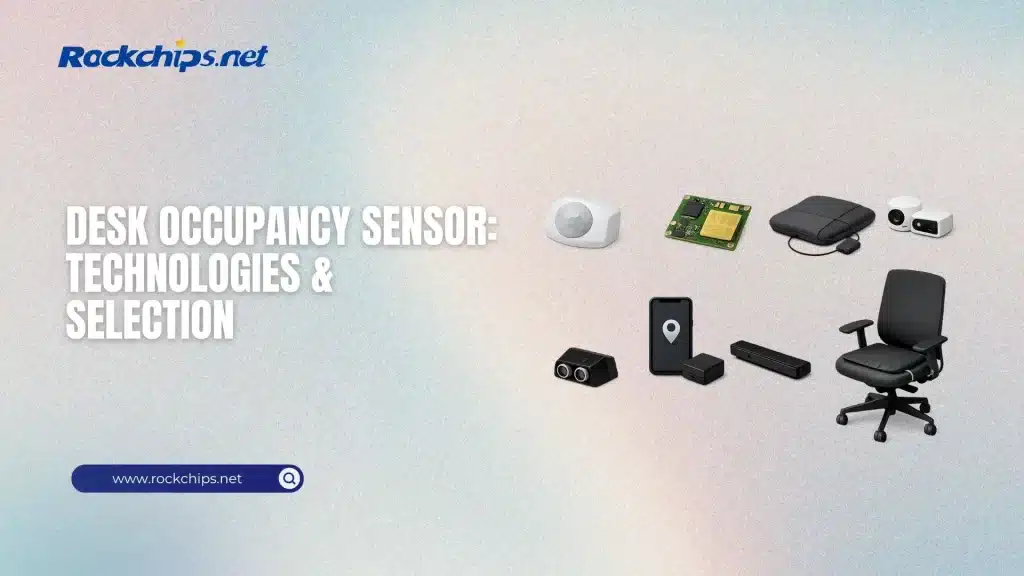
Modern offices need quick, reliable answers to a basic question: is this desk in use? A desk occupancy sensor is any hardware (including firmware and analytics) that detects if a workstation is occupied and then reports that status to a building system, booking app, or dashboard.
Unlike room occupancy detection, which often only needs motion, desk-level detection must deal with edge cases: someone sitting still for a long time, backpacks on chairs, monitors warming the air, partitions blocking line-of-sight, and privacy concerns. The best solution depends on what you prioritize – accuracy, privacy, installation cost, battery life, or integration. For scenarios where simple motion detection is insufficient, RK3588 edge AI occupancy offers a more robust approach using camera-based AI.
Below is a practical, engineering-focused overview of desk occupancy sensor options, how they work, and how to select a design that performs well in real offices.
Table of Contents
What Desk Occupancy Really Means
Before selecting hardware, define the occupancy state you need to report:
- Presence at desk (person present): A human is seated/standing at the workstation.
- Seat occupied: Something is on the chair (person or object).
- Desk in use: Desk surface has activity, or peripherals indicate active work.
- Bookable vs. claimable: Some systems treat reserved seats separately from physically occupied seats.
A robust desk occupancy sensor design usually combines a clear definition with a time model:
- Hold time/grace period (e.g., don’t flip to vacant for 3–10 minutes)
- Confidence score or multi-state output (vacant/likely vacant / likely occupied/occupied)
- Anti-flap logic to prevent rapid toggling
While desk occupancy focuses on individual workstations, broader people counting systems track entry/exit flows and overall room occupancy, complementing desk-level data for complete space utilization analysis.
Core Sensor Technologies for Desk Occupancy
1) Passive Infrared (PIR)
PIR sensors detect motion by recognizing changes in infrared radiation, which indicate a moving heat signature. They are inexpensive and consume minimal power, but as motion sensors, they can miss still seated users or be obstructed by partitions. Typically, PIR sensors are more effective in small rooms rather than targeting individual desks.
2) Ultrasonic
Ultrasonic sensors send out sound waves and track movement by detecting reflections. They excel at sensing subtle motions compared to PIR sensors but are vulnerable to disturbances from airflow, HVAC noise, and interference from multiple units placed nearby. However, they generally consume more power than PIR sensors in many setups.
For organizations that need to monitor movement across entire floors, not just individual desks – people tracking technology provides zone-based analytics, heatmaps, and queue detection that work alongside desk sensors.
3) mmWave radar (60 GHz class)
mmWave radar is an active sensor that emits radio waves and analyzes the reflections to detect micro-movements such as breathing and subtle posture changes. Its ability to identify presence rather than just motion has made it particularly useful for applications like desk occupancy, where individuals may remain motionless. Many modern chips incorporate antennas and support low-power duty cycling to enhance efficiency.
4) Pressure/load sensing (chair pad, load cell, strain gauge)
Pressure sensors determine occupancy based on the weight placed on a chair or mat. While they can be highly accurate when detecting whether a seat is occupied, their reliability diminishes if heavy objects or bags are present, potentially misleading the system. Additionally, retrofitting chairs with sensors at scale can be operationally cumbersome, involving issues like cable management, wear and tear, and the need for frequent chair replacements. These sensors also fall short in detecting when someone is standing at a sit-stand desk unless additional instrumentation is added.
5) Capacitive proximity (under-desk, desk edge)
Capacitive sensors are capable of detecting nearby human bodies or touch interactions. They are inexpensive and can be discreetly installed, but their performance is critically influenced by factors such as mounting position, desk materials, grounding, and electromagnetic interference environments. They are effective for identifying interaction signals but are less reliable when used as the sole method for detecting the presence of a person.
6) Device presence (BLE / Wi-Fi)
Presence can be inferred via smartphone BLE beacons, badge tags, or Wi-Fi association. This is convenient when you already manage devices, but it reports the device nearby, not necessarily the person at the desk. It also raises policy questions (tracking) and can fail when phones are off, in airplane mode, or left behind.
7) Vision/depth (camera, ToF)
Vision can be very accurate for person detection and even posture/zone detection, but privacy and compliance requirements often dominate the decision. If used, many deployments favor on-device processing and only output anonymized occupancy states.
Comparison Table: Desk Occupancy Sensor Options
Practical Criteria for Selecting a Desk Occupancy Sensor
Accuracy target and what counts as occupied
If you need booking enforcement (freeing desks automatically), aim for high stillness performance and low false vacancies- mmWave radar or pressure-based solutions are typical starting points. If you only need trend analytics (utilization heatmaps), cheaper sensors with smoothing can work.
Privacy and governance
Desk-level sensing is personal by nature. Even non-camera sensors can feel intrusive if they are identity-linked (e.g., BLE badge tracking). Many teams choose technologies that output only a binary state without storing raw data.
Deployment scale and maintenance
Battery devices reduce wiring cost but introduce battery operations. Wired PoE/USB options simplify maintenance but increase installation effort. For large rollouts, how many truck rolls per year? often matters more than BOM cost.
Interference and desk density
Open-plan offices create multi-path reflections (radar), cross-talk (ultrasonic), and shadowing (PIR). Plan for calibration time and realistic mounting constraints.
Designing a Robust Desk Occupancy Sensor System
Sensor placement
- Under-desk forward-facing: Good for detecting legs/torso presence, less visible.
- Above monitor / desk edge: Good line-of-sight, but more visible and easier to block.
- Chair-based: Strong for seat occupancy; weak for standing desk use unless combined.
Fusion beats single-sensor designs
In real offices, hybrid designs outperform one sensor solves all. Common pairings:
- mmWave + PIR: radar for still presence, PIR for motion confirmation and power gating
- mmWave + ambient/ToF: zone segmentation + high confidence
- Pressure + activity signal: keyboard/mouse activity (with privacy constraints) to reduce false positives from bags
Firmware logic that matters
- Debounce and hold timers (avoid occupancy flapping)
- Adaptive sensitivity (different thresholds for quiet vs busy times)
- Self-test and watchdogs (sensor failure should not silently report vacant forever)
- Field-calibration mode (especially for radar: background subtraction, zone masking)
Connectivity and interoperability
If you’re integrating with smart building ecosystems, it’s useful to map occupancy into standard device models. Matter defines an Occupancy Sensor device type that reports occupancy state in a designated area, helping interoperability across platforms.
Even if you don’t ship Matter, using a consistent internal model (occupancy + confidence + timestamp) keeps integrations clean.
Recommended Starter Architectures
A) Lowest-cost utilization analytics (non-enforcement)
- PIR or BLE presence
- Long smoothing windows (10–30 min) and aggregation
- Best when you don’t need real-time seat availability
B) Real-time desk availability (booking + auto-release)
- mmWave radar (primary) + strong time logic
- Optional secondary signal (PIR or interaction) to cut false positives
- Per-desk zoning and edge masking to avoid detecting neighbors
C) Highest-confidence seat occupancy (assigned seating)
- Pressure/load sensing (chair) + sanity checks
- Optional mmWave to detect nearby presence and reduce bag-on-chair errors
Conclusion
A desk occupancy sensor is not a single part-it’s a sensing strategy plus firmware and operational policies. PIR and ultrasonic can work for coarse motion, but desk-level reality often demands presence detection that survives stillness and partitions. mmWave radar has become a strong general-purpose choice because it can detect micro-motion and support low-power designs, while pressure sensing can be excellent when seat occupancy is the primary truth you care about. Regardless of hardware, the biggest wins usually come from good placement, sensible timing logic, and (when needed) sensor fusion.
FAQ
What is the best desk occupancy sensor technology today?
Is a person present at this desk right now? mmWave radar is often the best single-sensor option because it can detect subtle motion and stillness better than PIR/ultrasonic.
Can PIR sensors reliably detect someone working quietly at a desk?
Sometimes, but it’s common to miss users who remain still for long periods because PIR is motion-based.
Do mmWave desk sensors raise privacy concerns?
They typically don’t capture images, but they still sense presence through RF reflections. Most deployments mitigate privacy concerns by performing on-device processing and reporting only an occupancy state (not raw data).
What causes false positives with desk occupancy sensors?
Common causes include backpacks on chairs (pressure sensors), moving heat sources or sunlight (PIR), HVAC airflow/noise (ultrasonic), and reflections/neighbor detection (radar). Good zoning and filtering reduce these issues.
How do I integrate desk occupancy into smart building platforms?
Use a consistent occupancy data model (state + timestamp + optional confidence). If you’re in the smart home/building ecosystem, Matter includes an Occupancy Sensor device type that standardizes reporting.
Battery or wired for desk sensors?
A battery reduces installation costs but requires maintenance. Wired connections (USB/PoE) make operations easier at scale. The best option depends on fleet size and who is responsible for ongoing maintenance.
Sources
- Texas Instruments – Which is a better occupancy detector — mmWave or PIR?
- DigiKey – Occupancy Detection: PIR vs mmWave
- Connectivity Standards Alliance (CSA) – Matter Device Library Specification (Occupancy Sensor device type definition)
- Google Home Developers – Supported Matter device types (includes Occupancy Sensor)
- Nordic Semiconductor docs – Matter data model/device types (Occupancy Sensor overview)
