


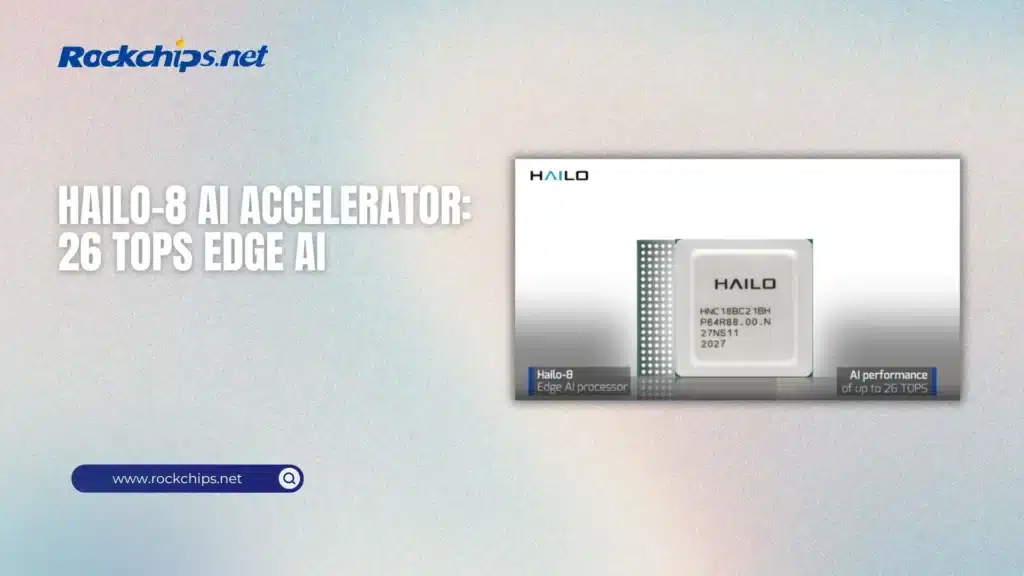
The Hailo-8 is a 26 TOPS neural-network accelerator built for inference at the edge. You can get it as an M.2 module, connect it to a host over PCIe, and run vision models without handing all that work to the host CPU – or sending the camera feed off to a cloud service.
That’s the appealing part.
The less exciting part is that Hailo-8 isn’t a tiny GPU you can point
at any PyTorch model and expect it to run. Hailo has its own compiler,
runtime, model format, and supported network layers. The hardware is
fast, but getting a model onto it is a real deployment job, not just
pip install followed by a benchmark.
For the right job, though, 26 TOPS in an M.2 slot is a lot of inference hardware.
Table of Contents
- What the Hailo-8 actually does
- 26 TOPS isn’t 26 TOPS of anything you want
- The M.2 module is small. Integration isn’t always simple
- HailoRT, HEF files, and the software you need
- Running Hailo-8 with Rockchip RK3588
- Hailo-8 versus the RK3588 NPU
- Where Hailo-8 fits well
- Should you add Hailo-8 to an RK3588 system?
- Primary sources
What the Hailo-8 actually does
Hailo designed the Hailo-8 for deep-learning inference, especially workloads such as object detection, classification, segmentation, pose estimation, and other vision tasks that need to run continuously. It doesn’t replace the CPU in an edge computer. The CPU still runs Linux, handles storage and networking, prepares input, and deals with whatever happens after the model returns a result.
The Hailo-8 does the neural-network part.
According to Hailo, the processor delivers up to 26 TOPS. Its Hailo-8 M.2 AI acceleration module is sold in Key M, B+M, and A+E versions, with PCIe Gen 3 connectivity. Hailo lists two PCIe lanes for the smaller module variants and four lanes for the Key M module, along with an extended operating range of -40°C to 85°C.
That makes it a plausible fit for industrial PCs, smart cameras, compact NVRs, robots, and other systems where a full graphics card would be awkward – or just wasteful.
26 TOPS isn’t 26 TOPS of anything you want
TOPS counts operations per second at a particular numeric precision. It doesn’t tell you how much of a model fits the accelerator, whether every layer is supported, how long preprocessing takes, or how much work still lands on the host.
And it definitely doesn’t mean Hailo-8 will make an application exactly 4.3 times faster than the 6 TOPS NPU inside an Rockchip RK3588 processor specifications.
Hailo publishes model-specific results through its Model Zoo, including accuracy, batch size, and throughput for compiled networks. Those figures are useful, but the test conditions matter. Some official Hailo-8 results use an Intel Core i5 host and PCIe Gen 3 x4, and raw accelerator throughput doesn’t include every part of a real camera pipeline.
So 26 TOPS tells us the Hailo-8 has a much larger inference budget than a small integrated NPU. It doesn’t tell us the final frame rate of your application.
The M.2 module is small. Integration isn’t always simple
We already covered the general idea in our guide to M.2 AI accelerator comparison. The attraction is obvious: add a compact card to a system that already has a CPU, memory, storage, and cameras, rather than replacing the whole computer.
But an M.2 connector isn’t a promise that every M.2 card will work.
The socket needs the correct key, PCIe lanes, power, and enough physical space for the module. The operating system also needs Hailo’s PCIe driver and a matching HailoRT release. If the board uses its only M.2 Key M slot for an NVMe drive, installing Hailo-8 also means finding somewhere else for storage – or adding more PCIe hardware.
PCIe bandwidth matters, too. Hailo has stated that a single Gen 2 lane can work, but recommends Gen 3 for full performance. A module detected over PCIe is only the first step; a narrow link may hold it back once larger tensors start moving between the host and accelerator.
HailoRT, HEF files, and the software you need
The runtime side is handled by official HailoRT runtime repository. It includes the user-space library, command-line tools, PCIe driver, device firmware, and Python bindings. HailoRT runs on the host and moves data to and from the accelerator.
Models run as HEF files – Hailo Executable Format binaries compiled for a particular Hailo architecture. Hailo’s compiler parses a supported model, optimizes and quantizes it, then maps it onto the chip. An ONNX or TensorFlow model isn’t the finished deployment file.
Hailo provides a Model Zoo for Hailo-8 with pretrained models and, in many cases, ready-made HEF files. The repository covers detection, classification, segmentation, pose estimation, face recognition, and other common jobs. It can save a lot of time if one of those models already does what you need.
Custom models take more work. You need a supported source model, representative calibration data for quantization, and the Dataflow Compiler. And as of the current software branches, Hailo-8 and Hailo-8L remain on the Model Zoo 2.x and Dataflow Compiler 3.x stack; the main branch has moved on to newer Hailo hardware.
That’s not necessarily a problem, but version matching is something to check before building an OS image around the accelerator.
Running Hailo-8 with Rockchip RK3588
The RK3588 already includes its own 6 TOPS NPU. It can run inference without an external module, and for one camera or a modest detection model, that may be all the hardware the project needs.
Hailo-8 becomes more interesting when the integrated NPU is the limit: several camera streams, more than one model, higher input resolution, or a pipeline that needs detection and segmentation at the same time. The RK3588 can keep doing the ordinary computer work – video input, application logic, storage, display, and networking – while Hailo-8 handles compiled inference.
At least, that’s the useful division of labor.
It still depends on the board. The Kiwi Pi 5 Pro exposes an M.2 2280 slot over PCIe 3.0 x4, which matches the interface used by the Key M version of Hailo-8. It also has two 2.5GbE ports and four USB 3.0 ports, useful if the finished system needs network cameras, local storage, and more peripherals around the accelerator.
Hardware compatibility doesn’t automatically provide a finished software image, though. The kernel, Hailo PCIe driver, HailoRT library, firmware, and chosen HEF files still have to agree with each other. This should be treated as an integration project unless the board vendor supplies and tests the complete stack.
Hailo-8 versus the RK3588 NPU
These aren’t really competing processors. One is a dedicated PCIe accelerator; the other is already part of the host SoC.
If the RK3588 NPU already meets the frame-rate and accuracy target, adding Hailo-8 gives you more cost, more software, and another component to cool. There isn’t much benefit in buying 26 TOPS just to leave most of it idle.
But if the built-in NPU can’t keep up, the Hailo-8 adds substantially more inference capacity without moving to a much larger GPU platform. That’s also why it appears alongside Hailo, DeepX, Jetson, and integrated Rockchip NPUs in our comparison of edge AI chips for real-time analytics.
Where Hailo-8 fits well
The obvious use case is multi-camera computer vision. Hailo lists simultaneous multi-stream and multi-model processing as a core feature, and its application stack includes GStreamer-based pipelines through Hailo TAPPAS application framework. A host can decode video, feed frames to the accelerator, and combine inference results with tracking, recording, alerts, or a user interface.
That covers quite a few real products:
- security systems processing several camera feeds;
- industrial inspection with detection or segmentation;
- retail analytics and people counting;
- robotics using detection, pose estimation, or depth models;
- traffic monitoring and smart-city cameras;
- local video analytics where footage shouldn’t leave the site.
Hailo-8 is less convincing for occasional inference, very small models, or projects where the CPU and integrated NPU spend most of their time idle. It is also an inference accelerator, not a replacement for the GPU used to train a model.
And if your model can’t be compiled cleanly to HEF, the 26 TOPS figure won’t rescue the project.
Should you add Hailo-8 to an RK3588 system?
Start with the model and the number of streams, not the TOPS number.
If a precompiled Hailo model already matches the job, the hardware side can be quite compact: an RK3588 board, a compatible M.2 slot, and the Hailo-8 module. HailoRT and the Model Zoo provide a reasonable starting point, and 26 TOPS gives the system a lot more room for continuous vision inference than the RK3588 NPU alone.
Custom models are where the decision gets harder. Model conversion, quantization, unsupported layers, host-side postprocessing, and software-version matching can take more time than installing the card. Before choosing Hailo-8 for a production design, compile the actual model and test the whole pipeline – including camera input and postprocessing – on the intended host.
The Hailo-8 is very good at one job: running compiled neural networks efficiently at the edge. If that’s the part of an RK3588 system that’s running out of room, an M.2 module is a fairly neat way to add more. If it isn’t, the NPU already inside the Rockchip chip is simpler.
